

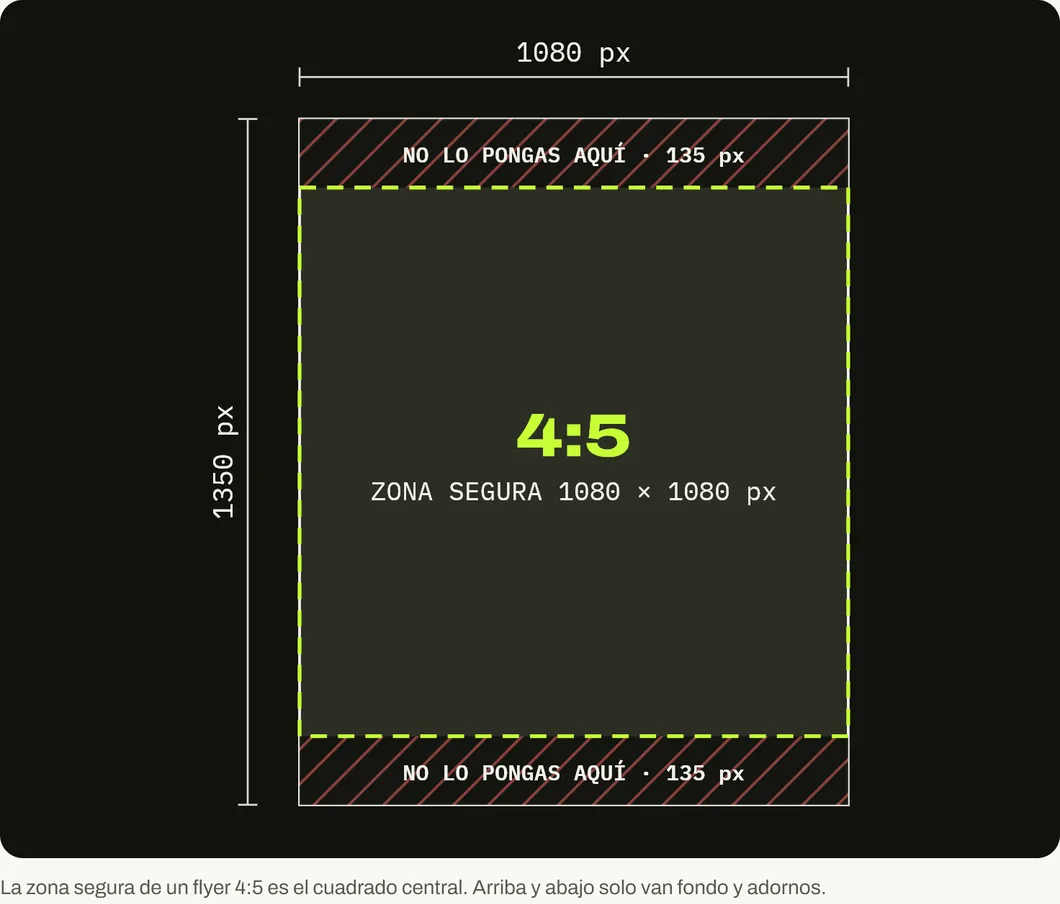
Design the WhatsApp flyer at 1080 × 1350 px, vertical 4:5, and keep what matters inside the central 1080 × 1080 px square. Send it with the HD quality option so it gets compressed less, or as a document (up to 2 GB) if you need the original file. For status, use 1080 × 1920 px.
The flyer is still alive and today it travels from chat to chat. The problem is that many are designed as if they were going to be printed, letter size with 10-point text, and on a phone screen nobody reads them.
Searches about WhatsApp flyer size showed our blog 8,046 times on Google between June 25, 2025 and October 24, 2026, according to our Search Console. Here is the short answer, and then how to make the flyer arrive sharp.
What size should a WhatsApp flyer be?
1080 × 1350 px, vertical 4:5. It is the format that takes up the most screen inside a chat without WhatsApp turning it into a thin strip, and it is the same one that works in the Instagram and Facebook feed. One design serves three places.
| Where you use it | Size | Ratio |
|---|---|---|
| WhatsApp chat | 1080 × 1350 px | 4:5 |
| WhatsApp status | 1080 × 1920 px | 9:16 |
| Instagram or Facebook feed | 1080 × 1350 px | 4:5 |
| Print (letter) | 2550 × 3300 px at 300 dpi | 8.5 × 11 inches |
WhatsApp does not publish a size for chat images. 1080 × 1350 px is our recommendation for two reasons: 1080 px is the maximum width at which Instagram uploads photos, and 4:5 is the vertical format Meta asks for in feed ad images. If the flyer works there, it works in the chat.
Which part of the flyer always shows?
The central 1080 × 1080 px square. When the flyer appears in a preview, in some grids or in the catalog, it gets cropped to a square. If you keep the headline, the offer and the contact in that square, they are never lost.
How do I send the flyer without losing quality?
WhatsApp compresses photos in standard quality. For a while now it has had an HD quality option that compresses less, and it also lets you send any file as a document, up to 2 GB.
When to use each option:
- HD quality, for almost everything. Before sending, tap the quality icon, choose HD quality and confirm. The flyer arrives sharper and still shows as an image inside the chat.
- As a document, when the customer will print it or reuse it. The file arrives as is, without compression, but the customer has to open it to see it. For a promotion you want people to see at a glance, it is worse.
- Standard quality, never for a flyer with text. It saves data, but small lettering falls apart.
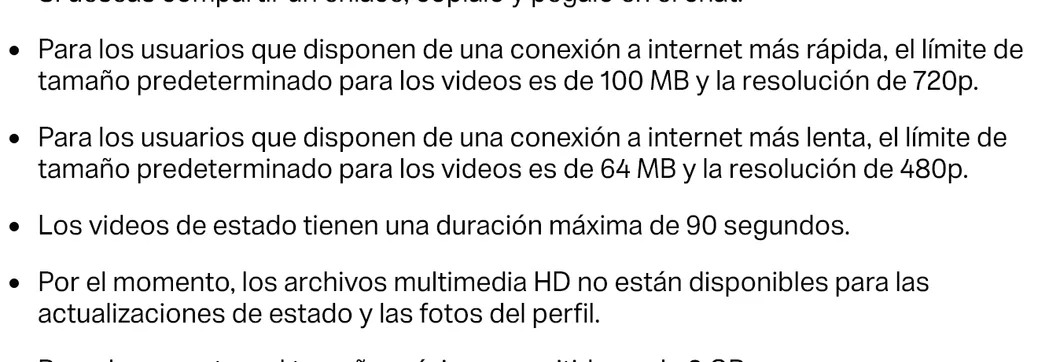
Two limits worth knowing: there is no HD in status, and in the web version you can send up to 100 photos or videos at once, each with its own caption.
How to design a flyer that reads on a phone
A flyer on WhatsApp is first seen as a thumbnail, inside a chat bubble. If it cannot be understood there, the person does not open it.
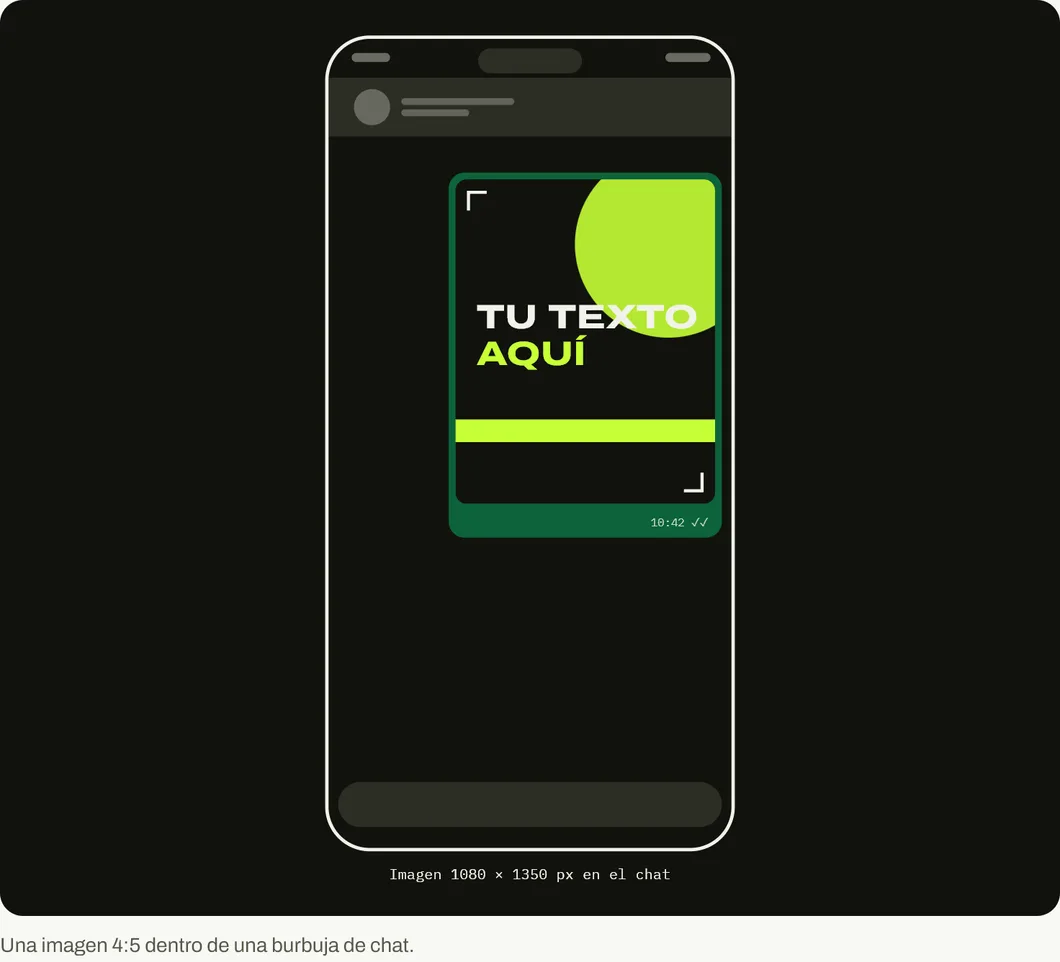
- A headline that reads in the thumbnail. As a reference, use at least about 80 px of letter height for the headline on the 1080 px canvas, and no less than about 40 px for secondary text. These are our own figures, meant to be readable without zooming.
- Three pieces of information at most. What you offer, until when and how to order it. Everything else goes in the message that accompanies the flyer.
- High contrast. White text on a dark background, or black on light. Soft brand colors get lost in compression.
- The contact, inside the safe zone. If the flyer is forwarded without your message, it has to say on its own how to buy from you.
- No QR code for phones. People who see the flyer on their phone cannot scan their own screen. Put the number or the link as text.
After the flyer comes the conversation
The flyer does its job when someone replies. That is why the message that goes with it should invite a reply: “Reply YES and I’ll set one aside for you”, “Send me your size”. After that, everything depends on how quickly and how well you respond.
For the rest of your profile, check the sizes for WhatsApp status and for the WhatsApp Business catalog. For the strategy, our guide to selling more with WhatsApp Business.
If you need a visual style for your flyers, your status updates and your website that looks the same everywhere, message us on WhatsApp.
Sources
Accessed on October 26, 2026.
- WhatsApp Help Center. How to send media, contacts or location. Standard and HD quality, up to 100 photos or videos at once, documents up to 2 GB, video limits and HD not available for status or profile photos.
- Instagram Help Center. Resolution of the photos you share on Instagram. Maximum width of 1080 px.
- Meta Business. Ads guide: Facebook feed image. 4:5 ratio.
- Our own data: Google Search Console for blog.onviral.agency and for the old URLs that redirect to it, from June 25, 2025 to October 24, 2026.
Main photo: Flyers in China 02, by Anna Frodesiak, on Wikimedia Commons, in the public domain (CC0). Cropped to 16:9.

Frequently asked questions
What is the ideal size for a WhatsApp flyer?
1080 × 1350 px vertical 4:5 to send it by chat. To post it as a status, 1080 × 1920 px in 9:16. If you are also going to print it, design the print version separately.
How do I send a flyer on WhatsApp without losing quality?
Before sending it, tap the quality icon and choose HD quality. If you need the exact file to arrive, send it as a document: WhatsApp accepts documents up to 2 GB.
Why does my flyer look blurry on WhatsApp?
Because WhatsApp compresses images in standard quality. It also happens if the design has small or thin lettering. Send it in HD and use large, bold type.
Can I use the same flyer for status?
You can, but a 4:5 flyer in status shows with bands at the top and bottom. For it to fill the screen, make a 1080 × 1920 px version. There is no HD quality in status.
How many flyers can I send at once?
WhatsApp's help for the web version says you can send up to 100 photos or videos at once, with a caption on each one.